
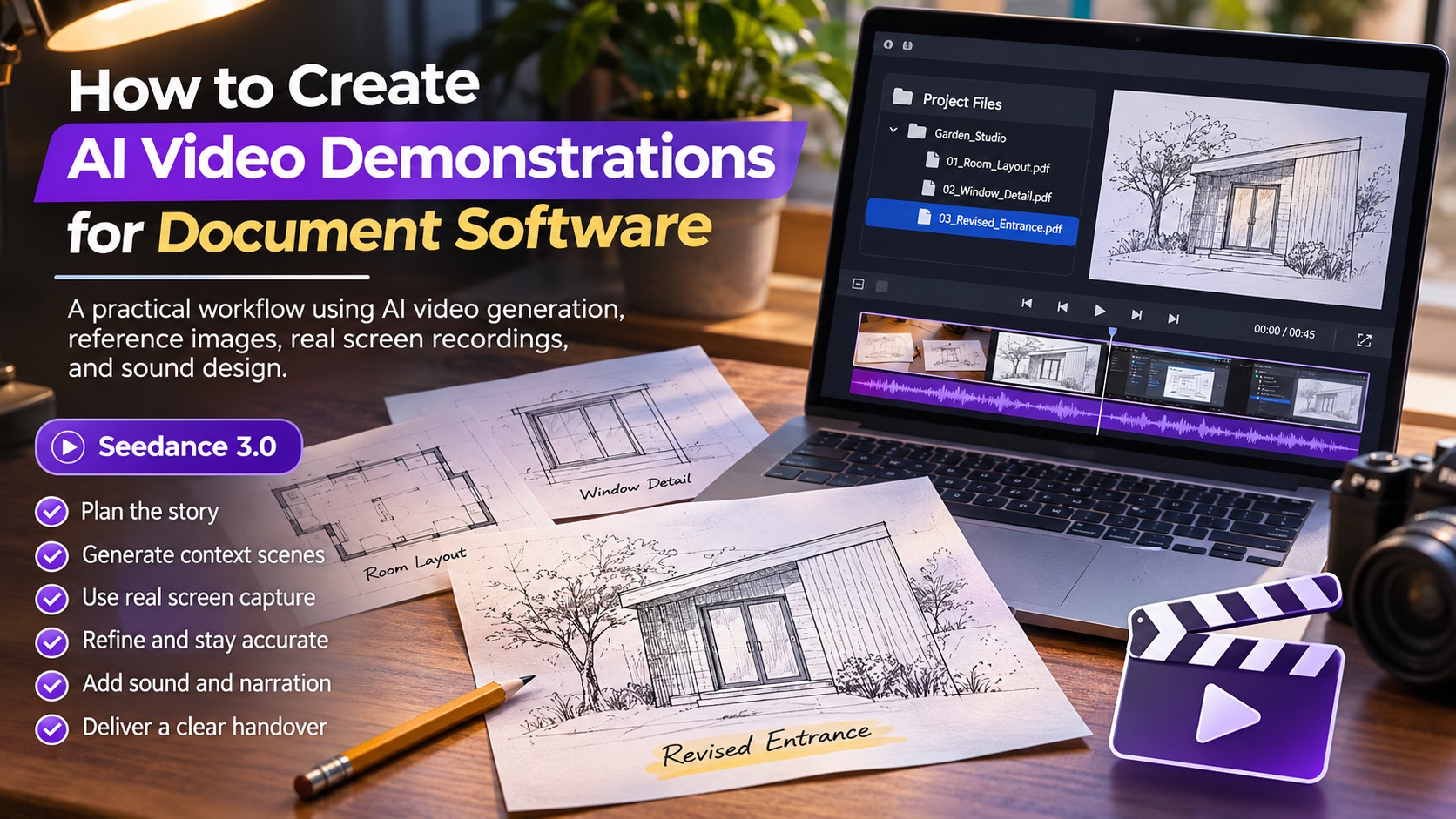
A folder full of scanned sketches can be difficult to present in a short software video. The files may be useful, but a screen recording of someone opening them rarely explains why they matter. For a proposed demonstration of a document-organising service, I would build a brief visual story around one architect’s sketch becoming part of an orderly project handover. The generated scenes would illustrate the working context, while real screen capture would show the software’s actual controls.
I would start with a licensed drawing of a small garden studio, a photograph of a desk, and a sample folder containing fictional filenames. No client plans or private addresses would enter the reference set. A short overhead camera clip would establish the pace of the opening, and a paper-turning sound would provide an audio cue. These materials would let me explore the story without pretending that an invented interface represents a functioning product.
Show the work waiting behind the files
The first shot would show three sheets on a desk: a rough room layout, a window detail, and a revised entrance. I would leave enough difference between them for a viewer to recognize that they belong to one project. A pencil would rest across the oldest drawing, creating a small visual obstacle. The scene would suggest a familiar problem: useful work exists, but its pieces are not yet ready to be shared clearly.
Before animating anything, I would decide which sheet carries the story. The revised entrance would become the main reference because it gives the viewer a simple before-and-after distinction. I would avoid covering the desk with dozens of pages. A software demonstration needs a clear handover from physical material to digital organisation, and that handover becomes harder to follow when the opening contains more information than the viewer can remember.
For the contextual footage, seedance 3.0 would give me a way to combine written direction with image, video, and audio references in an AI video generation workflow. I would explore a paper-led opening, then connect it to genuine screen capture in the editor. The generated material would establish the problem and the atmosphere; it would not be used as evidence that the document service performs an operation correctly.
Keep the first movement small
I would begin with text-to-video in seedance 3.0 to test an overhead composition. The prompt would describe a warm wooden desk, three clearly separated sheets, and soft light from the upper left. A slight movement of one page corner could make the image feel alive without introducing a hand. This study would help me choose how much space the papers need before the product interface appears. If the drawings looked crowded, I would widen the frame rather than add a sweeping camera move.
The next attempt in seedance 3.0 would use the desk photograph as an image reference. My direction would ask for a slow move toward the revised entrance drawing, preserving the arrangement of the other sheets. The overhead clip would contribute only its gentle pace. I would explicitly exclude its objects and surface texture, so that a useful camera reference did not replace the visual identity established by the photograph.
A shot brief could read: “Move slowly toward the sheet nearest the right edge. Keep the three papers separate and maintain their positions. Preserve the soft light and wooden surface from the desk photograph. End with the selected drawing large enough to recognize, leaving a quiet area on the left for a later caption.” The caption would be added in the editor, where its wording and spelling could be controlled.
Cut to the real interface at the moment of recognition
I would not ask the generated paper to turn into a perfectly readable software window. Instead, I would match the final paper composition to a real screen capture of the same sample drawing. A clean cut would connect the two. The viewer would recognize the entrance outline, then see the actual folder name and document preview. This would give the transition a reason to exist without relying on a visually impressive but misleading transformation.
Within the software capture, I would demonstrate only actions verified in the product: opening the sample folder, selecting the revised file, and showing the resulting view. If a particular service did not support a comparison feature, I would not imply one through editing. The seedance 3.0 scenes would remain on either side of this factual section, helping the demonstration feel like a small story while the interface footage carries the functional explanation.
Repair the drawing before adding decoration
A first generated draft might bend a line, duplicate the pencil, or make the selected sheet slide beneath another page. I would compare the output to the reference at the point where the problem begins. My first revision would reduce camera travel and remove the moving page corner. The drawing’s recognisable outline matters more than atmospheric motion. If it remained unstable, a still opening with an editorial zoom could be the better choice.
For another seedance 3.0 attempt, I would use a simpler reference containing only the selected sheet and a corner of the desk. This would reduce the number of overlapping edges. I would not keep regenerating the entire scene merely to preserve an unnecessary prop. The pencil is useful only if it helps establish the working context; once it distracts from the drawing, it has served its purpose and can disappear from the composition.
Use sound to bridge physical and digital work
For the seedance 3.0 sequence, the paper-turning reference would create a modest transition cue. I would ask for a restrained rustle, then check whether the generated sound fits the visible movement. A loud page flip over an almost still image would feel artificial. At the cut to screen capture, I would let the rustle fade and keep the interface section quiet enough for a short explanation. There would be no invented notification sound suggesting that an upload or approval had completed.
I would also leave room for a concise voiceover recorded after the edit is assembled. The narration would describe the actual sample project and verified software actions. It would not claim that the proposed workflow had saved a client a certain number of hours. A clear sequence of materials, selection, and handover can communicate value without fabricated measurements or testimonials.
End with a handover someone could understand
The closing concept in seedance 3.0 would return to the desk, now showing the selected drawing beside a closed notebook. I would keep the light direction and paper scale consistent with the opening. The aim would be a feeling of readiness, not a magical disappearance of all unfinished work. A separately designed closing card could identify the demonstration and point viewers toward the verified product information.
Before exporting, I would watch the sequence without narration and ask whether the same drawing remains identifiable from the desk to the screen. I would then check the interface section at its final display size. If filenames were too small, I would crop the real capture more tightly instead of enlarging generated text. The finished video would combine a readable visual premise with an honest software demonstration, giving each kind of footage a job it can perform well.