Here’s something nobody tells you when you buy your first cheap VPS: the price is the easy part.
You can find a server for two or three bucks a month in about a minute. What the pricing page won’t show you is whether that box keeps up when your database gets busy, whether it’s anywhere near your visitors, or whether anyone answers when it goes dark at 2 a.m. on a Sunday.
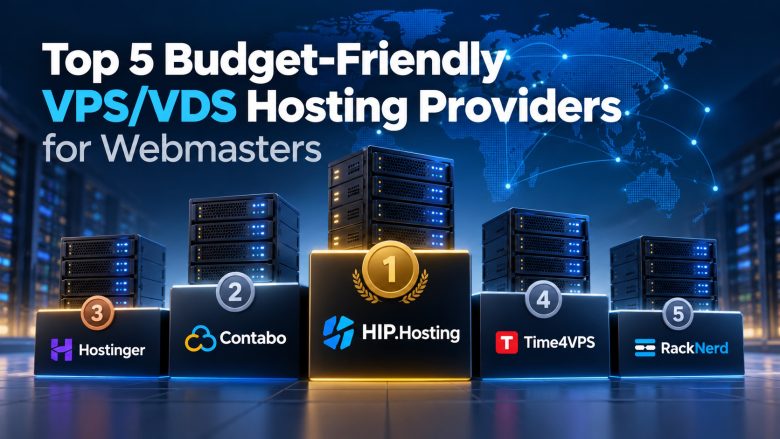
So this isn’t just a list of who’s cheapest. It’s five budget hosts that webmasters keep coming back to, and what each one is actually good at: HIP.Hosting, Contabo, Hostinger, Time4VPS and RackNerd.
HIP.Hosting is our number one. Short version: it’s cheap to start, it has lots of locations, and its plans are shaped around different kinds of workloads. Honestly, though, the right pick depends on what you run, where your users are and how much Linux babysitting you’re up for.
How we put this list together
Quick disclaimer: we didn’t benchmark anything. One speed test on one server on one afternoon wouldn’t tell you much anyway.
What we did was go through what each provider offers and ask the boring questions that matter when it’s your money. How much CPU, RAM and disk do you get per dollar? Where are the data centers? SSD or NVMe? Can you pick a plan that fits your app and resize it later without starting over? Is the panel pleasant or painful? And what happens when you need support?
That’s it. Think of it as a buyer’s guide, not a lab report.
1. HIP.Hosting: Best Value Overall
Let’s start with the thing most budget hosts get wrong.
Say your app needs more RAM. To get it, you usually have to jump to the next plan up, which also gives you CPU cores and disk you’ll never touch. You pay for all of it anyway.
HIP.Hosting gets around that with three plan families. Standard is the all-rounder. Memory is for RAM-hungry stuff like databases and caches. Hi-CPU is for build servers and anything that grinds the processor. You put the money where your app actually needs it. It’s a simple idea, but surprisingly rare at this price.
And the price is low. The smallest KVM server (1 vCPU, 1 GB RAM, 10 GB SSD, root access) starts at around $2.40 a month, depending on location and current offers. That’s coffee money, and it’s enough for a staging site, an uptime monitor, a small bot or a personal project.
Locations? France, Germany, the Netherlands, Finland, Sweden, Latvia, Estonia, Poland and New Jersey. Nine options is a lot for a budget host. If most of your visitors are in Scandinavia, a server in Sweden or Finland will probably do more for load times than an extra core would. Not every plan is in stock everywhere, so check the order page before you get attached to a city.
Storage is SSD or NVMe depending on the plan, and network speed varies by location. If you need to grow later, HIP.Hosting documents a way to scale CPU, RAM and disk without reinstalling the OS. Read the requirements first and plan for a reboot.
Now the honest bit. Popular locations sell out sometimes. The $2.40 box is tiny, so don’t put your busy online store on it. Moving to another country usually means a new server and a migration. And root access cuts both ways: patches, firewall rules and backups are your job. Ask support what they cover before you need them, not in the middle of a crisis.
Still, if we had to send someone to just one budget host, it’d be this one. Have a look at HIP-HOSTING.
2. Contabo: The “Give Me All the RAM” Option
Contabo’s whole pitch is big numbers for small money: lots of RAM, lots of disk, a low monthly price. If you’re stacking several dev environments on one box, or running something that eats memory for breakfast, its pricing page will look very tempting.
It sells regular VPS plans, faster VPS tiers and VDS plans, with data centers in Europe, North America and parts of Asia.
Just don’t mistake big specs for big speed. How a server feels also depends on CPU sharing, disk speed and network load, and Contabo’s cheapest tier isn’t really made for CPU-heavy or latency-sensitive work. One more thing: switching product lines or downsizing can mean ordering a new server and moving everything yourself. That’s annoying, so know it going in.
3. Hostinger: The Easiest Step Up From Shared Hosting
Going from shared hosting to a blank terminal is scary the first time. Hostinger makes it less scary.
Its VPS dashboard is clean and walks you through setup, and there’s a mountain of tutorials. Regions cover Europe, Asia, North America and South America, depending on the plan.
Two warnings, though. First, a nice panel doesn’t patch your server for you. You’re still the sysadmin. Second, read the pricing carefully. The cheapest rates usually mean paying for a long term upfront, and renewal can cost noticeably more. Check the renewal price and the real CPU, RAM and bandwidth before you sign up for years.
4. Time4VPS: Small Linux Boxes, No Fuss
Not every project needs a big server. Sometimes you just want a cheap Linux machine for a script, a small site or a place to break things.
That’s Time4VPS. It sells Linux VPS plans in a range of sizes, so you can start small and move up when you need to. If you’re comfortable in a shell, there’s not much to figure out.
The small plans really are small, so a busy database will outgrow them fast. Check three things before paying: what renewal costs after the discount, whether backups are extra, and whether the bandwidth and disk limits fit your traffic.
5. RackNerd: For People Who Love a Deal
If you hang around hosting forums, you’ve seen RackNerd come up every time there’s a sale: Black Friday, New Year, some random Tuesday. Its promos can get you a decent VPS for very little, which is great for side projects and test labs you’re happy to manage yourself.
The catch? No two deals are quite the same. CPU limits, disk type, bandwidth, location and upgrade options can all change from offer to offer. Before you grab one, check which city the server is in, read the terms and find out what support will actually help with.
Picking a VPS: What Actually Matters
Start with your app, not the ad.
A small site or dev box is usually fine on 1 to 2 vCPUs and 1 to 2 GB of RAM. Add containers, a busy database or a handful of client sites and you’ll run out of memory faster than you’d think. Start modest, watch the graphs, and upgrade when they tell you to.
Disk size is the obvious number, but disk speed is what you feel. Databases and package installs are snappier on NVMe, though how much depends on the host’s setup.
Location matters more than people think. Every ocean between you and your visitors adds lag. A CDN helps with images and CSS, but dynamic pages still have to come from your server.
Then do the math for a full year. A $3 server stops being a $3 server once renewal kicks in, backups cost extra, a panel license adds ten bucks and tax shows up at checkout.
And backups. Please. Don’t assume your host has you covered. Set up your own off-site copies on day one and actually test a restore. An untested backup is just hope.
FAQ
VPS vs. VDS: what’s the difference?
Both are virtual servers with root access. Some hosts use “VDS” for plans with more dedicated resources, but there’s no strict rule. Read the specs, not the label.
Is 1 GB of RAM enough for a live site?
For a small, well-tuned site, yes. For a heavy CMS with lots of plugins and a database on the same box, go for 2 GB or more.
Why does my VPS cost more at renewal?
Lots of hosts discount the first term to win you over, then switch to the regular price. Check both numbers before you buy.
Which host is good if I need a specific European location?
HIP.Hosting covers eight European countries plus New Jersey in the US, with Standard, Memory and Hi-CPU plans from around $2.40 a month.
So, Which One Should You Get?
For most people, HIP.Hosting. It’s cheap to start, has nine locations, and its plans fit the way your app actually uses resources.
Want huge specs for the money? Contabo. First VPS and a bit nervous? Hostinger. Small Linux side project? Time4VPS. Spotted a great promo? RackNerd.
Whatever you pick, don’t overbuy. Size the server for what you run today and upgrade later.